




Fridayroll Login & Registration
To give you game recommendations you’ll like and bonuses that are relevant to you, we’ve introduced the Fridayroll login process. Thanks to it, you’ll have your own gaming history and progress. So, the more you play as a registered user, the more benefits and rewards you’ll unlock.



Fridayroll Registration Process
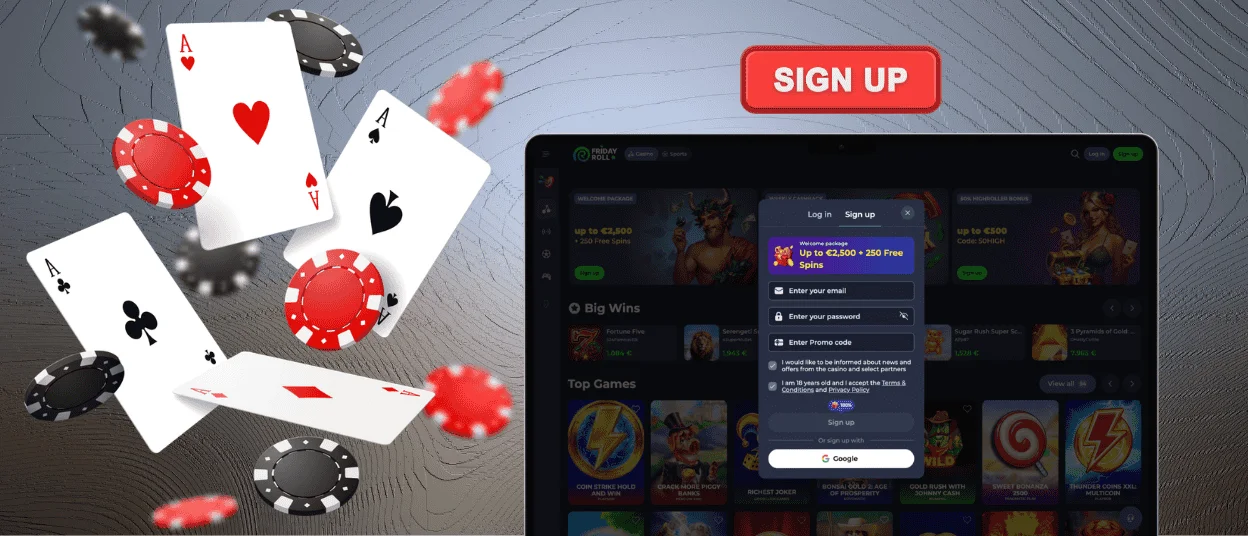
Joining Fridayroll Casino is quick and easy. After all, the registration only requires a small amount of information.
- Start by clicking the Sign Up button. It doesn’t matter whether you’re using the website or the app – it’s available everywhere.
- In the short registration form, enter a password and the email address you’ll use for your account.
- Confirm that you agree to the Friday Roll Terms and Conditions – they are described in several sections that you can find in the footer of our website.
- Tick the consent box if you’d like to receive our newsletter.
- Check your inbox and click the link in the email – by doing so, you’ll complete your registration.
Sometimes the email doesn’t arrive. In that case, the first thing you should do is check your Spam folder. If the link isn’t there, please request a new one or contact the Fridayroll Casino support.
Create Your Account
Registration and account setup are processes that naturally flow into one another. When you click the confirmation link, you’ll be taken to our platform, where you can immediately add key details to your account – your name, age and phone number.
The menu lets you customize your profile. So, in the Security section, you can enable two-factor authentication. And if you click a little further to the right – on the Gambling Limits option – you can start managing your activity at Fridayroll Casino.
Fridayroll Login Steps
You only need the registration form once. But for every visit after that, you’ll use the Friday Roll login form instead. It’s right next to the Sign Up button.
- Click “Log In”.
- In two fields under “Welcome Back”, enter your email address and password.
- Check that the information is correct. You can click the eye icon to display your password.
- If everything looks right, select the Login button.
Users who have enabled 2FA need to complete one additional step before accessing their account – confirm their Fridayroll login with a special code via Google Authenticator.
Login Problems & Troubleshooting
When you log in to your Fridayroll account to play, the last thing you want to see is an error message on your screen. To quickly resolve these kinds of issues, take a look at what our users most often struggle with.
| Issue | Possible Cause | Next Steps |
| Login page keeps refreshing | Browser-related issues | Clear your cache, disable VPN or try using a different browser |
| Error message appears | Incorrect password entered | Check your keyboard language or turn off Caps Lock |
| Account is temporarily locked | Too many failed login attempts | Wait for a while or contact our support team |
| Browser doesn’t save credentials | Your privacy settings block it | Allow the required permissions and try again |
| Login from a new device is denied | You need to go through additional security verification | Confirm your Friday Roll login in the Security section |
Our multilingual support team is always ready to help you with any Fridayroll login issues. If you experience an unusual situation, please describe it in detail in the live chat and attach screenshots. We’ll do our best to resolve your problem.
Forgot Your Password?
One of three users of the Fridayroll Casino platform faces this issue. However, it’s quite harmless because you can resolve it in just a minute.
If you can’t remember your password, click the “Forgot password?” link. After that, enter your email address, and we’ll send you a password reset message.
Please note that it must be the email address connected to your Fridayroll account. If you no longer have access to it or don’t remember which one you used, send us a message or click the live chat button.
Verification (KYC) at Friday Roll Casino
For security reasons, all our players must complete the KYC procedure before their first withdrawal. This is necessary so that we can more effectively monitor any fraudulent activity. The verification process also helps us follow ethical standards and legal requirements. It ensures that users under the age of 18 cannot join the Fridayroll Casino platform.
You can complete the KYC check in the Verification section. There, you can upload a document that confirms your identity, for example, your passport, national ID, driver’s license or military ID.
If any of your family members also have a Fridayroll account, we may ask you to provide utility bills. Thanks to this, we can verify that you all live at the same address.
FAQ
What if I suspect my account has been hacked?
In the Security section, you can view all your active sessions as well as your Fridayroll login history. This way, you can check when and which device or IP address was used to access your profile. Also, our platform is protected by multiple layers of security, so you don’t have to worry about your account safety.
Can I update my personal details after signing up?
If you want to change your password, username or home address, you can do so by clicking the “Profile Info” in your Friday Roll account. However, some fields cannot be changed after verification. In this case, you may need to complete the KYC process again.
Why can my Fridayroll Casino profile be permanently blocked?
We close player accounts for serious violations such as creating multiple profiles or engaging in fraudulent activity. But if you request self-exclusion, access to your account will also be restricted for the selected period – including a permanent block.


